Google Pay
Google Pay is a Google digital wallet that lets you pay with the cards saved in your Google account, quickly, easily and securely. If the customer does not have a saved card, they can add one during the same payment. At Flow, Google Pay is available within FlowPay and can be used from a computer or mobile phone.

I am a merchant and want to activate Google Pay in my Flow account
Google Pay is activated automatically when you activate FlowPay in your account. You do not need to do anything else.
To activate FlowPay, follow these steps. If you do not have a Flow account yet, first create an account here.
- Log in to your Flow account.
- Go to the Payment methods menu.
- Click the Edit details button.
- Select FlowPay and choose the rate.
- Click the Save changes button.
- You will then receive an email with a security code that you must enter in your portal.
- Once you enter the code correctly, FlowPay will be activated and, with it, Google Pay.
Online payment
This option allows a customer to pay online using Google Pay. Once the payment is completed, Flow will immediately notify the merchant about the payment.
- The customer must select FlowPay (Credit, debit and prepaid cards) as the payment method.
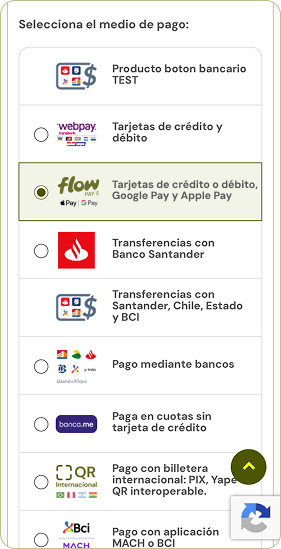
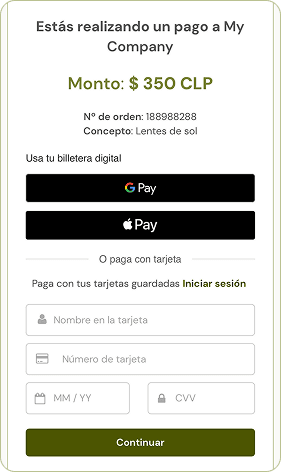
- They will see their payment summary and the "Use your digital wallet" section. They must click the Google Pay button.
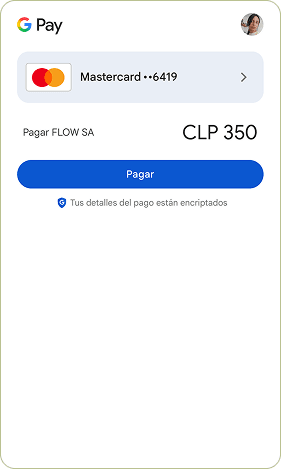
- The Google Pay window will open with the card saved in their Google account. If they have more than one, they can change it using the arrow next to the card. To continue, they must click Pay.
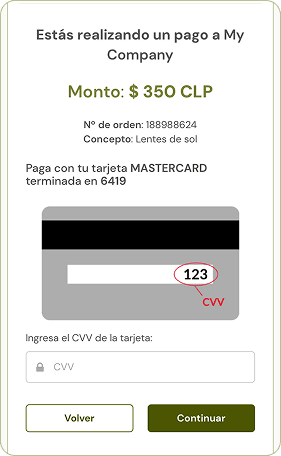
- They must enter the CVV of the selected card and click Continue.
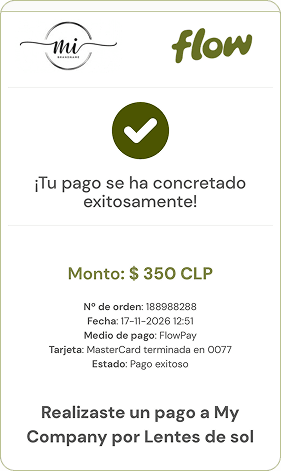
- The customer will be redirected to Flow's success page, where their payment information will be displayed.
Notifications
Flow will immediately notify the payment:
- A payment notice will be sent to the merchant.
- A payment receipt will be sent to the customer.